
Add our tide times to your calendar
Would you like to see our tide times in your calendar app?
It only takes a few minutes to create a custom tide calendar and add it to your phone, tablet, or computer.
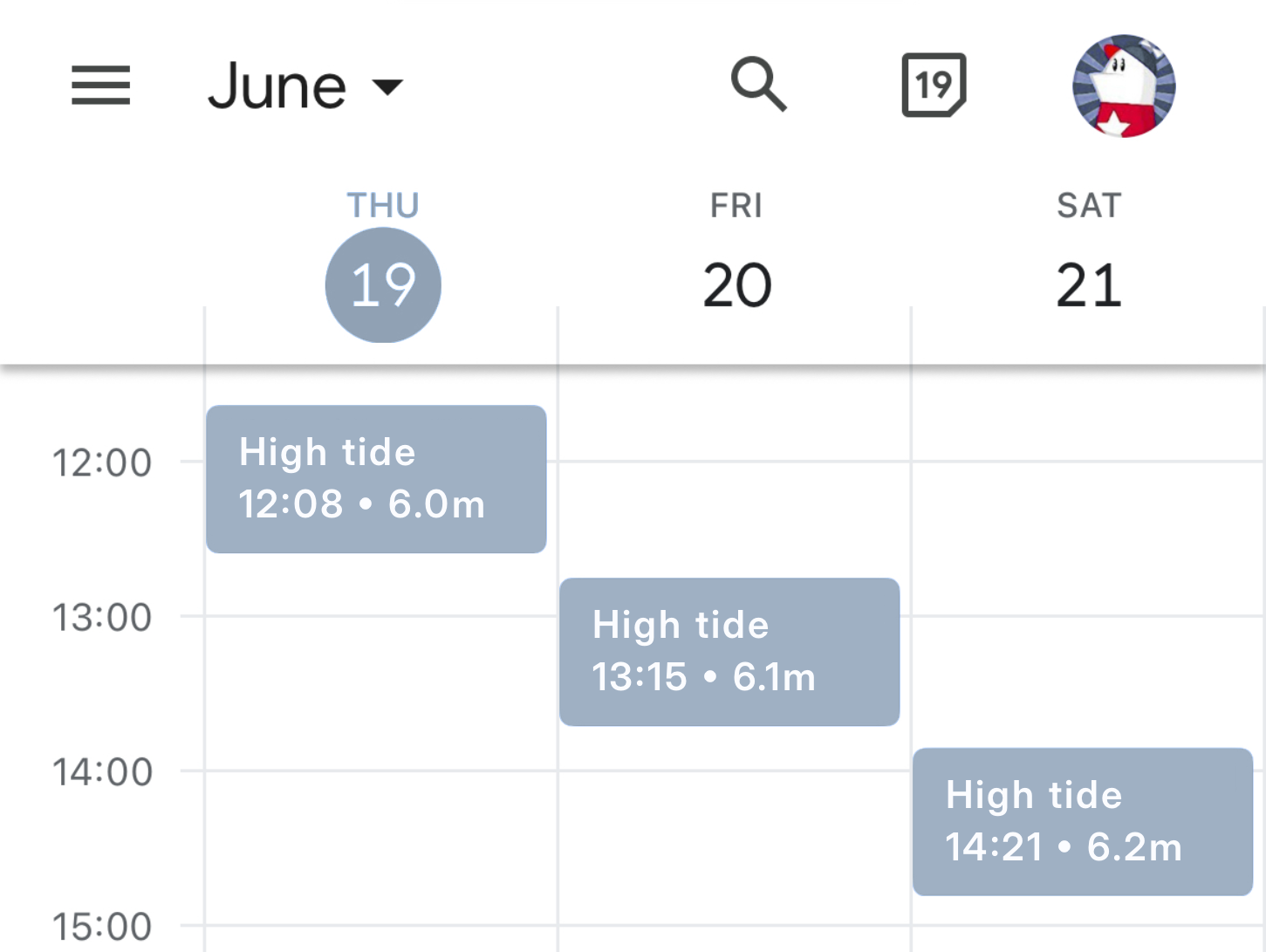
Try it out by clicking below to add a 2-day tide calendar for Padstow, Cornwall.
Tide calendars are updated automatically every day and you can customise the information to meet your needs.
Tide calendars are updated daily to always show the next 7, 30, or 60 days. Subscriptions renew monthly but can be cancelled at any time. Payments are processed securely by Stripe. Terms and conditions apply.
Frequently asked questions
How do I add a custom tide calendar to my calendar app?
After you create your custom tide calendar, you'll get a personalised link like this:
- webcal://uk-tides.com/c/12345678ABCDEFG
Most phones, tablets, and computers will let you simply tap or click the link to add the calendar to your calendar app.
If that doesn't work - or if you want to use a specific calendar app - you can use the links below to find instructions for adding the calendar manually.
Please note that Google Calendar only lets you add subscriptions from its web app. Once added, they'll sync to the Google Calendar mobile app.
Can I add my custom tide calendar to more than one personal device?
Yes, you can add your custom tide calendar to a maximum of 5 personal devices (phones, tablets, or computers).
Can I share my tide calendar with others?
No, your tide calendar is for personal use only. Shared links will be blocked or cancelled.
Please note that each calendar event includes a "magic link" to easily manage your subscription, payment method, and more. For your security, do not share this link with others.
How often is the tide calendar updated?
Tide calendars are updated daily, so you can always see the next 7, 30, or 60 days.
Why isn't my calendar updating?
Check your calendar app to see if it has settings for how frequently it refreshes the tide calendar.
For example, Apple Calendar on Mac OS defaults to an "Auto-refresh" period of "Every week". You should change this to "Every day".
What locations are available?
Over 700 locations are available. Use the "Location" search box to find ports and beaches near you.
Where does the tide data come from?
Tide data is licensed from the UK Hydrographic Office (gov.uk/ukho).
Can I subscribe to multiple locations?
Yes, you can subscribe to multiple locations. However, for licensing reasons, you will need to create a new subscription for each location.
How do I cancel my tide subscription?
Each calendar event includes a "magic link" to manage your subscription, payment method, and more.
You can cancel at any time and your tide calendar will keep working until the end of your current subscription period. Please note that refunds are not available.
How do I change my tide subscription?
At this time, it's not possible to change your subscription. If you want a different location, tide type, or subscription type, you will need to cancel the old one and start a new one.
Remember that if you cancel your subscription, it will keep working until the end of your current subscription period and that refunds are not available.
How do I contact you with questions?
Email us at calendars@uk-tides.com if you have any questions.
What did the beach say when the tide came in?
Long time, no sea.